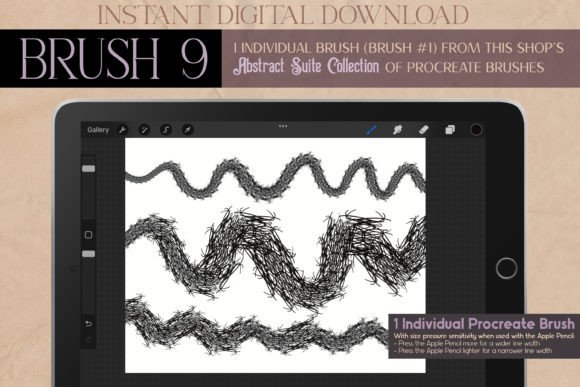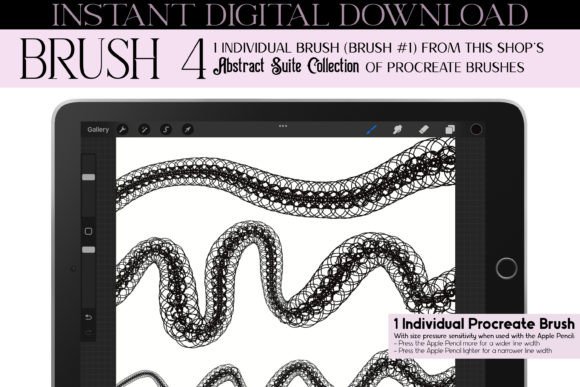
Procreate Brush 4: Abstract Suite Overview
Digital illustration often hits a plateau when artists rely too heavily on standard toolsets. The Procreate Brush 4 - Abstract Suite breaks this cycle by offering a distinct, hand-drawn aesthetic that bridges the gap between technical precision and organic imperfection. This is not merely a texture overlay; it is a versatile digital instrument designed for creators who value uniqueness in their workflow. Whether you are designing intricate jewelry concepts, sketching fashion illustrations, or adding decorative elements to digital planners, this brush provides a specific visual language that feels both retro and contemporary.
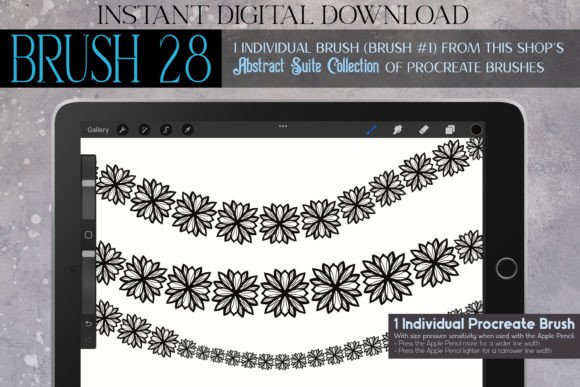
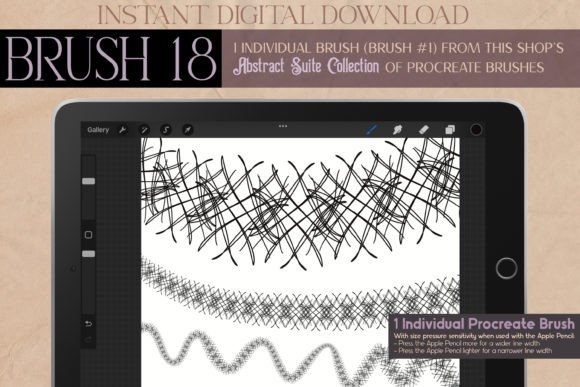
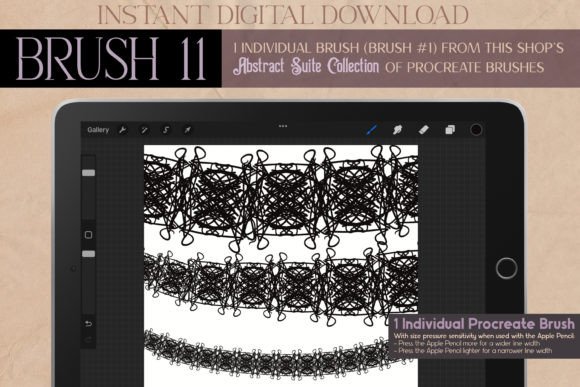
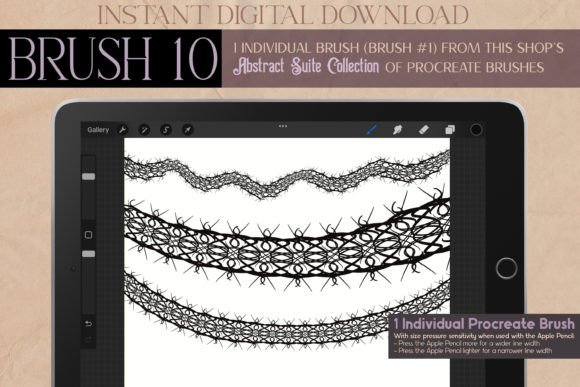
The core appeal of this tool lies in its origin. Created from a digitally hand-drawn illustration, the brush retains the quirks and character of human movement. It draws inspiration from diverse stylistic movements, including Art Deco geometry, Art Nouveau fluidity, and the moody atmosphere of dark academia. For designers and hobbyists alike, this means access to a stamp-like functionality that can generate complex patterns without the hours of manual repetition. It serves as a powerful asset for anyone looking to elevate their design assets with a touch of vintage elegance or steampunk intrigue.
Visual Character and Stylistic Versatility
Understanding the personality of a digital brush is crucial for effective application. The Abstract Suite is defined by its ability to produce symmetrical, geometric patterns and abstract lines that mimic ink pen doodles. Unlike rigid vector shapes, these marks carry a sense of life. They are ideal for creating lace effects, fabric textures, and ornamental borders that feel authentic rather than computer-generated. The brush excels in scenarios where detail matters, such as tattoo design outlines, necklace embellishments, or intricate clothing patterns.
The stylistic range is surprisingly broad. While it leans into a retro, vintage aesthetic, it adapts seamlessly to modern contexts. You might use it to create kawaii-style accents for a sticker sheet or employ its darker, more structured lines for a gothic-inspired poster. This duality makes it a valuable addition to your toolkit if you work across different niches. For instance, the same brush stroke can define the hem of a summer dress in a fashion sketch or add eerie, decorative framing to a Halloween invitation. The key is its adaptability; it does not force a single look but rather provides a foundational style that you can manipulate through pressure sensitivity and color choices.
For those interested in brand identity, this brush offers a way to introduce handmade credibility to digital products. In a market saturated with clean, sans-serif minimalism, incorporating organic, abstract elements can help a brand stand out. It suggests craftsmanship and attention to detail, qualities that resonate with audiences looking for authenticity. Whether used in social media graphics or packaging design, the brush helps create a cohesive visual narrative that feels personal and curated.
Practical Applications Across Creative Industries
The utility of Procreate Brush 4 - Abstract Suite extends far beyond simple doodling. Its primary strength is efficiency in repetitive decoration. Consider the workload involved in creating symmetrical patterns for interior decoration elements or textile designs. With this brush, what would typically take hours of manual drawing can be achieved in minutes. This is particularly beneficial for small business owners and entrepreneurs who need to produce high volumes of content without sacrificing quality.
- Fashion and Apparel: Use the brush to sketch intricate lace details, embroidery patterns, or accessory designs like bracelets and necklaces. It adds a layer of realism to flat illustrations.
- Event Stationery: From wedding invitations to birthday party decor, the brush creates elegant borders and frames. Its Art Deco influences make it perfect for formal events, while its quirky nature suits casual get-togethers.
- Digital Planning and Scrapbooking: Enhance digital planners with custom dividers, headers, and decorative stamps. The brush works well for organizing layouts in apps like GoodNotes, adding a personalized touch to daily schedules.
- Character and Concept Art: Ideal for adding details to anime, manga, or Ghibli-style characters. Use it for clothing textures, hair accessories, or background elements that require a hand-drawn feel.
In the realm of editorial design, this brush can serve as a unique element for chapter headers or pull quotes. It breaks up text-heavy layouts with visual interest, guiding the reader’s eye through the content. Similarly, in web design, it can be used to create custom icons or background patterns that enhance user engagement without overwhelming the interface. The key is moderation; using the brush as an accent rather than the main focus ensures it enhances rather than distracts.
Integrating the Brush into Your Workflow
To get the most out of this tool, consider how it interacts with other elements in your composition. Since the brush is inspired by ink pen doodles, it pairs exceptionally well with handwritten fonts or clean serif typefaces. Avoid pairing it with overly complex display fonts, as this can create visual clutter. Instead, let the abstract lines provide texture while the typography handles readability. This balance is essential for maintaining professional standards in logo design or marketing materials.
Testing is vital. Before committing to a large project, experiment with different opacity settings and color palettes. The brush may behave differently depending on the canvas size and resolution. For high-resolution prints, such as graduation cards or large-format posters, ensure your canvas settings are optimized to prevent pixelation. For digital-only uses, like social media posts or email newsletters, you have more flexibility to play with bold colors and heavier strokes.
It is also important to understand the licensing terms. As a commercial font or brush asset, verifying usage rights is critical for professional projects. Ensure that your intended use—whether for client work, product packaging, or merchandise—aligns with the license provided. This protects both you and your clients from potential legal issues and ensures ethical practice in the creative industry.
Enhancing Brand Perception Through Detail
Consistency in visual elements builds recognition. By incorporating the Procreate Brush 4 - Abstract Suite into your regular design rotation, you create a signature style that audiences can identify. This is particularly useful for influencers, bloggers, and content creators who rely on a strong visual brand. Using the same brush for Instagram story backgrounds, YouTube thumbnails, and blog headers creates a cohesive experience for your followers.
Moreover, the brush supports the trend towards "imperfect perfection." Modern audiences are increasingly drawn to content that feels human and relatable. The slight variations in line weight and texture provided by this brush convey a sense of warmth and approachability. This can significantly impact audience engagement, making your content feel less corporate and more community-oriented. Whether you are designing for a school event, a homeschool curriculum, or a university graduation card, this human touch adds emotional value to the final product.
Ultimately, the value of this brush lies in its ability to save time while enhancing creativity. It removes the barrier of technical skill required to draw complex symmetrical patterns, allowing you to focus on composition and concept. For designers, marketers, and hobbyists, it is a practical solution to common creative challenges. By integrating this tool into your workflow, you expand your creative possibilities and deliver higher-quality, more engaging visual content.